
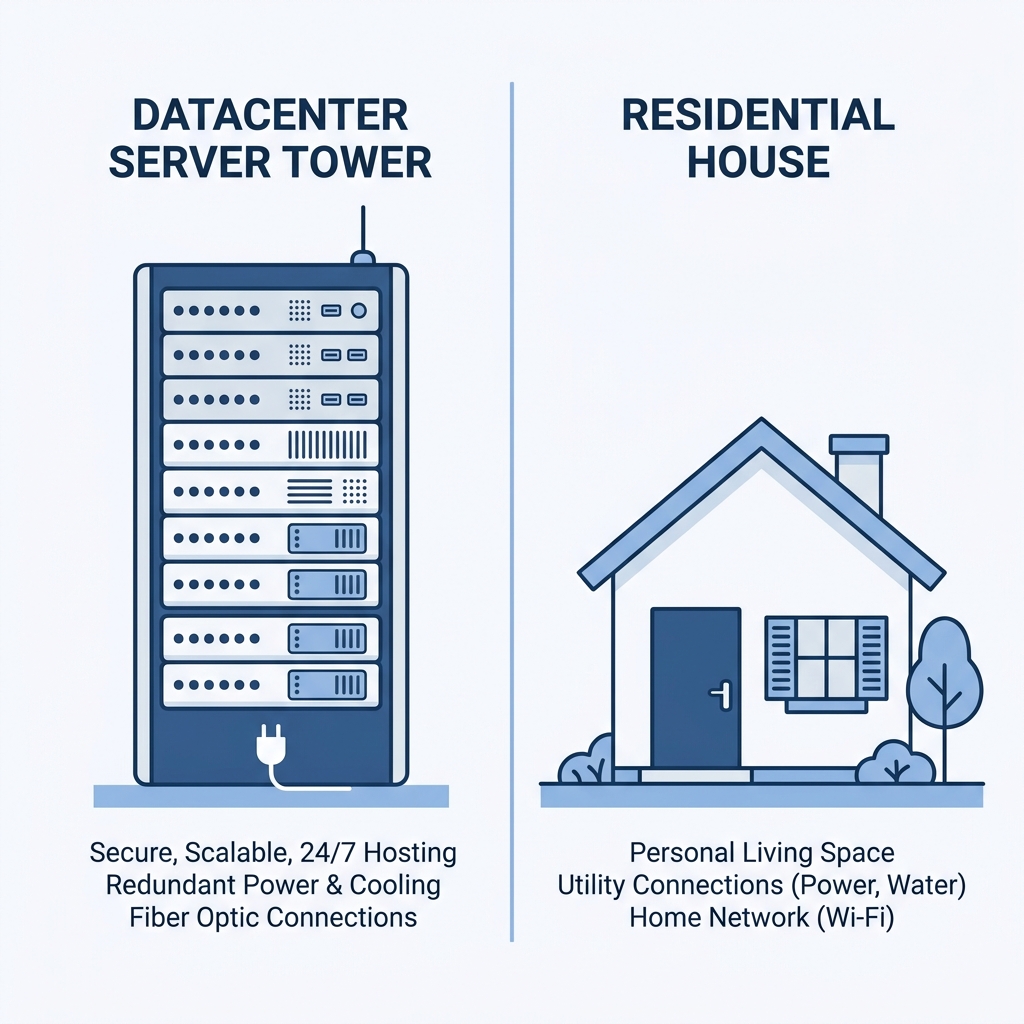
Datacenter vs. Residential Proxies: Comprehensive Comparison
Table of Contents
1. Introduction
When designing web scrapers, automated search crawlers, or brand protection tools, selecting the right proxy network is one of the most critical decisions. Choosing the wrong type can quickly lead to high block rates, broken code, and unnecessary operational costs.
The choice usually comes down to two main options: **Datacenter Proxies** and **Residential Proxies**. While both serve the fundamental purpose of hiding your client machine's IP address and routing your web requests, they differ significantly in origin, trust score, speed, and cost. This guide provides a detailed comparison to help you choose the right option for your projects.
2. What are Datacenter Proxies?
Datacenter proxies are IP addresses hosted in dedicated data centers, server farms, and cloud provider networks (such as Amazon Web Services, DigitalOcean, Microsoft Azure, or Linode). They are not associated with Internet Service Providers (ISPs) like Comcast or Verizon.
Because they run on corporate-grade gigabit networks, datacenter proxies offer high speeds and low latency. However, because their IP subnets are publicly documented as commercial hosting providers, firewalls can easily flag and block them. Additionally, many public proxy lists consist of datacenter IPs; check our free public proxy list to test open HTTP/SOCKS5 servers.
3. What are Residential Proxies?
Residential proxies (learn more in our deep dive into residential IPs) are IP addresses assigned by residential Internet Service Providers (ISPs) to home internet connections. These are the IP addresses of real household devices, such as smart TVs, desktop computers, and home Wi-Fi routers.
When you use a residential proxy, web servers see you as a standard household customer, giving you a high trust score. This makes residential proxies highly effective at bypassing advanced anti-bot firewalls like Cloudflare and Akamai.
4. Comparison Metrics: Trust, Speed, and Cost
Let's break down the differences across three core metrics:
A. Trust Score & Block Rates
Websites use IP reputation databases to classify inbound requests. Datacenter subnets are easily flagged as commercial servers, raising suspicion immediately. Residential IPs, on the other hand, share subnets with ordinary consumers, making them highly trusted and unlikely to be blocked.
B. Speed & Latency
Datacenter proxies operate on high-bandwidth corporate networks, offering speeds of up to 1 Gbps and latency under 50ms. Residential proxies depend on the connection speeds of individual household devices, resulting in higher latency (typically 200ms to 500ms) and lower overall speeds.
C. Cost Structure
Datacenter proxies are cheap and usually billed on a flat monthly rate per IP with unlimited bandwidth. Residential proxies are more expensive and typically billed by bandwidth usage (per GB) or dynamic port access, as providers must maintain a complex peer-to-peer network.
5. The Ultimate Comparison Table
Here is a direct comparison of the two proxy types:
| Metric | Datacenter Proxies | Residential Proxies |
|---|---|---|
| IP Source | Server Farms & Cloud Providers | Residential ISPs (Home Wi-Fi) |
| IP Trust Score | Low (Flagged as Commercial) | High (Seen as Real Consumer) |
| Block & Captcha Risk | High | Extremely Low |
| Speed & Bandwidth | 1 Gbps+ (Fast, Unlimited) | Varies by Host (20-100 Mbps, Limited) |
| Pricing Model | Flat monthly rate per IP | Pay per GB of bandwidth consumed |
| Geo-targeting Accuracy | Limited to server location cities | Granular (Country, State, City, ZIP) |
6. When to Choose Datacenter Proxies
Despite their higher detection rates, datacenter proxies are highly effective for specific tasks:
- Scraping Unprotected Sites: If the target site does not deploy firewalls (like Cloudflare or Akamai), datacenter proxies will fetch your data quickly and cost-effectively.
- Large-scale Data Transfer: If you need to scrape gigabytes of raw images, video streams, or large datasets, datacenter proxies will save you money.
- High-Speed API Integration: Best for latency-critical tasks that require response times under 100ms.
7. When to Choose Residential Proxies
Residential proxies are the best option for scenarios that require high anonymity:
- Bypassing Advanced Firewalls: Necessary for sites protected by Cloudflare, Akamai, PerimeterX, or hCaptcha.
- Local SEO Tracking: Best for checking regional search engine results, local business rankings, or local ad placement.
- E-commerce & Sneaker Botting: Required to purchase limited-edition products from sites like Nike, Adidas, or Shopify, which instantly ban datacenter connections.
8. The Hybrid Strategy (Cost Efficiency)
For large-scale data operations, using a single proxy type can be inefficient. Instead, consider a **hybrid strategy**:
Start your scraping tasks using cost-effective datacenter proxies. If a request fails with a 403 Forbidden or triggers a captcha, route that specific request through a residential proxy. This approach helps you maintain high speeds and lower your bandwidth costs.
Frequently Asked Questions
Which proxy type is faster?
Datacenter proxies are significantly faster since they run on commercial gigabit servers. Residential proxies are slower because they rely on home internet connections.
Which is better for e-commerce and retail botting?
Residential proxies are necessary. Retail websites deploy strict firewalls that instantly block datacenter subnets, whereas residential IPs are trusted as normal home buyers.
Can I mix datacenter and residential proxies?
Yes, a hybrid strategy allows you to use cheap datacenter proxies for unprotected pages, switching to residential IPs only when you encounter captchas or 403 blocks.
9. Conclusion
Both proxy types have their place in your development stack. Datacenter proxies offer speed and low cost, while residential proxies provide maximum reliability and block evasion. For a complete decision framework, read our guide on choosing the right proxy.
Need both? Turbo Proxy offers high-speed static datacenter proxies alongside our rotating residential pool of over 7 million IPs. Sign up today and get started.